Tu, 3.11.2026 | Original article from: Mass Spec Interpretation Services/James Little
NIST26 Tandem MS/MS users should watch for XIC filtering, lost accurate-mass precision, custom-library search failures and installation issues. Here are the key checks and workarounds.Current Bugs in NIST26 MS/MS (Tandem) Software
- Photo: Mass Spec Interpretation Services/James Little: Current Bugs in NIST26 MS/MS (Tandem) Software
- Video: Mass Spec Interpretation Services/James Little: Current Bugs in NIST26 MS/MS (Tandem) Software
The 2026 edition of the NIST Mass Spectral Library introduces expanded tandem mass spectrometry (MS/MS) reference data and NIST MS Search software version 4.0. While these tools offer powerful capabilities for compound identification and spectral interpretation, practical testing has revealed several software issues that users should be aware of. Some may affect the identification of compounds, the accuracy of imported spectra, or the reliability of library searches.
The reported issues involve extracted ion chromatograms (XICs), intensity threshold settings, chromatogram displays, user-created spectral libraries, and software installation. Additional difficulties can arise when connecting NIST MS Search with MS Interpreter.
The observations, documented during testing in August 2026, may depend on specific datasets, software configurations, or installation environments. They should therefore be treated as reported issues rather than defects necessarily affecting every NIST26 installation.
1. Background Filtering May Remove Useful XIC Identifications
One of the reported issues concerns the Background setting in the XIC analysis workflow. In certain datasets, applying background filtering can remove peaks that may contain useful identification information, even when they exhibit high relative abundance and strong library matching scores.
The affected peaks typically have several characteristics:
- They are represented by a single scan.
- Their chromatographic peak width is recorded as zero.
- The software assigns them an XIC value of 0.
- They cannot be processed by XIC Analyzer because they do not meet its processing criteria.
Despite these limitations, some peaks may still provide potentially valuable analytical information. In one example, a peak assigned XIC = 0 exhibited a relative abundance of 100% and a high library matching score.
The problem is that applying background filtering can exclude these peaks from both the identification results and abundance calculations.
To avoid overlooking potentially relevant compounds, users should review results with background filtering disabled or the Background option set to "Any". Peaks with XIC = 0 can be sorted by abundance and examined individually using the butterfly plot for spectral comparison.
Any potentially significant identification should be verified against the original vendor data, particularly because single-scan peaks may also reflect acquisition conditions or analytical artifacts.
2. Intensity Threshold Settings Can Cause Loss of Accurate-Mass Information
Another important issue involves the Intensity Threshold option in the Spectrum Import Options window.
During testing, enabling an intensity threshold when importing vendor-generated MS/MS spectra caused high-resolution mass spectra to be converted to nominal-mass spectra.
Instead of preserving fragment ion m/z values with four decimal places, the imported spectra displayed integer m/z values.
This behavior is particularly problematic for high-resolution MS/MS applications, where accurate mass measurements contribute to elemental composition assignment and compound identification.
The Intensity Threshold function could otherwise be useful for reducing electronic noise, including noise observed in Agilent MS/MS spectra.
Recommended workaround: Avoid applying the Intensity Threshold option during spectrum import when accurate-mass information must be preserved. Until the behavior is resolved, noise reduction should be performed using independently validated processing procedures.
3. Chromatogram Display Precision Depends on Spectrum Import Settings
A related issue affects the Chromatogram tab in NIST MS Search.
The number of decimal places displayed for m/z values in the chromatogram window is determined by the settings selected in Spectrum Import Options. These settings are not independently controlled.
For example, when the import precision is set to zero decimal places for low-resolution spectra, the chromatogram display also shows truncated m/z values.
Importantly, this behavior does not affect the accurate-mass deconvolution and library-search results table.
However, it can affect spectra transferred from the chromatogram window to the library-search function.
Users should therefore distinguish between the accurate-mass information retained in the deconvolution results and the values displayed or transferred through the chromatogram interface.
Before initiating additional library searches from the chromatogram window, it is advisable to verify that the displayed m/z precision is appropriate for the analytical task.
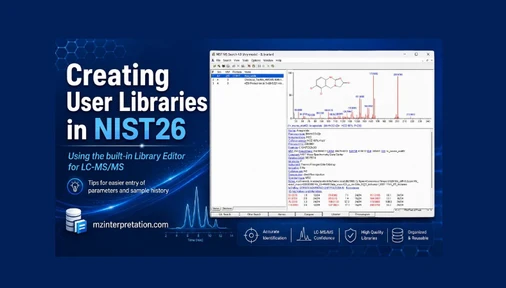
4. Problems with Hybrid and Precursor-Independent Searches in User Libraries
Another issue concerns search functions applied to user-created MS/MS spectral libraries.
After adding high-resolution MS/MS spectra to a user library, the following search modes may fail to operate correctly:
- HiRes NoPrecursor identity search
- Similarity Hybrid MS/MS search
In the reported tests, attempting to perform a Hybrid MS/MS search could cause the software to crash with error code 0005.
A practical workaround involves rebuilding the affected user library using Lib2NIST:
- Export the library spectra as ASCII
.mspfiles, together with the associated.molstructure files. - Reimport the exported data using Lib2NIST.
- Generate a new library in the NIST library format.
- Verify that the required search functions operate correctly.
As a temporary alternative, the EI Normal search mode may provide useful results resembling those obtained with HiRes NoPrecursor searches, although it should not be considered an equivalent replacement.
HiRes NoPrecursor searching may also work when the presearch function is disabled, but this can substantially increase search times.
Until the issue is resolved, users should avoid running the affected Hybrid MS/MS search on problematic user libraries.
5. Installation and Uninstallation May Modify the Windows win.ini File
Potential configuration problems have also been observed when installing the NIST Tandem demonstration software on computers with an earlier NIST version already installed.
In particular, the installation process may modify the Windows configuration file:
C:\Windows\win.ini
During testing involving NIST23 and the NIST Tandem demo, additional configuration entries were introduced. Some remained after the demonstration software was uninstalled.
These residual entries could potentially interfere with the configuration of existing or subsequently installed NIST software, although their impact has not been established for every system.
Before installing the demonstration version, users should:
- Back up the original
win.inifile. - Record the existing NIST software configuration.
- Check for residual demonstration-related entries after uninstallation.
- Ensure that any restored configuration file retains the
.iniextension.
Because win.ini is located in a protected Windows directory, modifications should be performed only by authorized users, preferably with assistance from an IT administrator.
6. MS Interpreter: Resolving Registration and Connection Problems
Difficulties opening NIST MS Interpreter may be related to its registration within Windows rather than an actual defect in NIST26.
MS Interpreter is a separate application, executed as MSPCALC.EXE, that supports the interpretation of mass spectra using chemical structures, fragment formulas, and fragmentation mechanisms.
Communication between NIST MS Search and MS Interpreter relies on Windows OLE/COM registration. Problems may arise when an earlier version remains registered or when the software has been moved, replaced, or incorrectly installed.
NIST provides the MSINTREG.EXE registration utility to reconnect MS Interpreter to MS Search.
The recommended procedure involves:
- Closing NIST MS Search.
- Placing
MSINTREG.EXEin the folder containingMSPCALC.EXE,Frag32.dll, andQual.dll. - Running the registration utility with the required administrative privileges.
- Restarting NIST MS Search and testing the connection using Send To → MS Interpreter.
In some cases, unregistering the previous installation using UnregServer and registering the correct version using RegServer may help.
Users working on company-managed or university computers may need assistance from their IT departments.
Practical Recommendations for NIST26 Users
These reported issues highlight the importance of checking software settings and validating results when working with tandem mass spectrometry data.
Particular attention should be given to preserving accurate-mass information during import, reviewing signals excluded by XIC filtering, and verifying the functionality of custom spectral libraries.
Maintaining backups of user libraries and software configuration files can also help prevent disruptions when installing or updating NIST software.
Although NIST26 provides extensive capabilities for MS/MS data interpretation, understanding these potential limitations and applying appropriate workarounds can help laboratories obtain more reliable identification results and maintain efficient analytical workflows.
The availability and timing of any future software corrections should be verified against the specific NIST release and software build in use.