
Clarity Chromatography Software 10.2 released!
GCMSLCMSArticle | Product

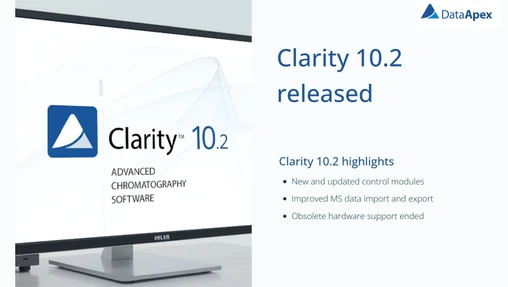
Clarity Chromatography Software 10.2 released!

Discover what’s new in Clarity 10.2, including expanded instrument control support, enhanced MS data import/export capabilities, and important changes to hardware compatibility.
Clarity Chromatography Software 10.2 released!
DataApex Clarity Chromatography software 10.1.2 just released!
GCMSLCMSArticle | Product

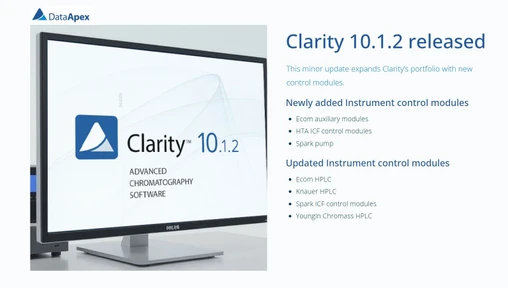
DataApex Clarity Chromatography software 10.1.2 just released!

Clarity Chromatography Software 10.1.2 introduces new control modules and expanded instrument compatibility, supporting over 1000 GC and HPLC systems for flexible lab workflows.
DataApex Clarity Chromatography software 10.1.2 just released!
Clarity Launch Manager - Overview
GCMSLCMSArticle | Product

Clarity Launch Manager - Overview

Launch Manager in Clarity allows you to start the software with predefined instrument configurations. Learn how to manage multiple detector setups and switch between them quickly without manual reconfiguration.
Clarity Launch Manager - Overview
How to manage multisignal chromatogram(s) in Clarity Chromatography Software
GCMSLCMSArticle | Video

How to manage multisignal chromatogram(s) in Clarity Chromatography Software

A practical guide to working with multi-signal chromatograms and overlay display in Clarity. Covers signal management, active signal handling, run comparison, and advanced graph customization.
How to manage multisignal chromatogram(s) in Clarity Chromatography Software
Navigating and Zooming Chromatograms in Clarity Chromatography Software
GCMSLCMSArticle | Video

Navigating and Zooming Chromatograms in Clarity Chromatography Software

Learn how to efficiently zoom, navigate, and stay oriented in Clarity Chromatography Software using mouse tools, keyboard shortcuts, and the Preview Graph for precise data inspection.
Navigating and Zooming Chromatograms in Clarity Chromatography Software
How to switch between the Clarity Windows
GCMSLCMSArticle | Video

How to switch between the Clarity Windows

Detailed overview of window navigation in Clarity Chromatography Software, including tips for managing chromatograms, sequences, and multiple instruments efficiently.
How to switch between the Clarity Windows
Basics of Chromatogram Integration in Clarity Chromatography Software
GCMSLCMSArticle | Video

Basics of Chromatogram Integration in Clarity Chromatography Software

A structured guide to chromatogram integration in Clarity software, explaining global and local integration parameters, peak detection, baseline handling, and transferring integration into analytical methods.

Basics of Chromatogram Integration in Clarity Chromatography Software
Clarity Tutorial - Instrument window - Overview
GCMSLCMSArticle | Video

Clarity Tutorial - Instrument window - Overview

A clear overview of the Instrument Window in Clarity Chromatography Software, explaining interface layout, workflow icons, analysis control, chromatogram handling, and calibration.
Clarity Tutorial - Instrument window - Overview
A Christmas Gift for Clarity Users: A Free Tips & Tricks Webinar
GCMSLCMSArticle | Webinars

A Christmas Gift for Clarity Users: A Free Tips & Tricks Webinar

DataApex announces a free Clarity Tips & Tricks online webinar in January 2026, focusing on tips, tricks, and advanced features of Clarity Chromatography Software with emphasis on productivity and automation.
A Christmas Gift for Clarity Users: A Free Tips & Tricks Webinar
Automated Device Shutdown After Sequence Completion in Clarity Chromatography Software
GCMSLCMSArticle | Product

Automated Device Shutdown After Sequence Completion in Clarity Chromatography Software

Learn how shutdown methods in Clarity Sequence Options enable automatic post-sequence actions such as cooling devices, switching off lamps, or sending shutdown commands after the last run.
Automated Device Shutdown After Sequence Completion in Clarity Chromatography Software