Tu, 8.9.2026 | Original article from: Mass Spec Interpretation Services/James Little
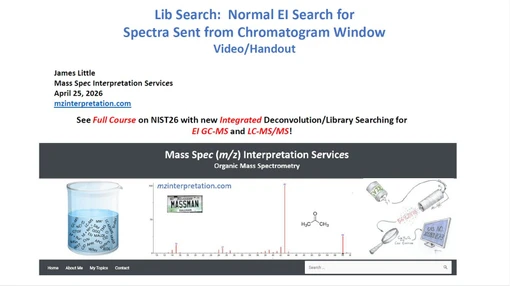
Learn how moving chromatogram results into the NIST Library Search window enables deeper candidate review, flexible precursor settings, and alternative spectral matching strategies.Searching Normal NIST Search with Chromatogram Results
- Photo: Mass Spec Interpretation Services/James Little: Searching Normal NIST Search with Chromatogram Results
- Video: Mass Spec Interpretation Services/James Little: Searching Normal NIST Search with Chromatogram Results
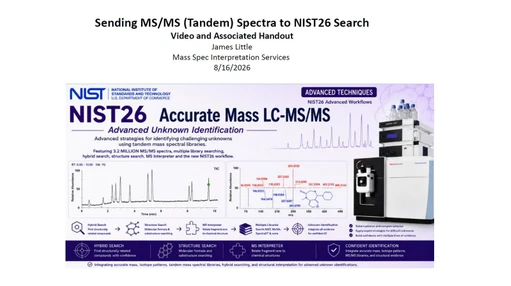
Chromatogram-based library searching can provide a fast first identification, but it does not always give analysts the flexibility needed to evaluate alternative candidates, adjust precursor settings, or choose different spectral comparison strategies. In his presentation, James Little of Mass Spec Interpretation Services shows how transferring chromatogram results into the standard NIST Library Search window can expand the available search options and provide a more detailed view of potential compound matches.
The workflow is particularly relevant when an analyst wants to go beyond the single best chromatogram result and investigate alternative library candidates, compare spectra using different scoring approaches, or perform MS/MS searches with greater control over precursor information.
Why move from the chromatogram to Library Search?
The chromatogram view is useful for rapid inspection, but according to the presentation, its library-search functionality is more limited.
One of the main differences is that the chromatogram result list displays only the best library result, while the standard Library Search window provides access to alternative candidates. This can be important when several structures produce similar spectra or when the highest-ranked match needs additional scrutiny.
The standard Library Search window also provides more control over MS/MS searching. While searches initiated directly from the chromatogram use the precursor information automatically supplied by the chromatogram, the Library Search window allows the user to work with different search modes and modify precursor settings where required.
To transfer a component from the chromatogram into Library Search, the workflow shown in the presentation is straightforward: right-click the component of interest and select “Library Search.”
Identity and similarity searches
Once the spectrum has been transferred, the search settings determine how the library comparison is performed.
With Identity selected, an MS/MS search can reproduce the type of search performed from the chromatogram. If the “In spectrum” option is enabled, the precursor sent from the chromatogram is used automatically. The option can also be disabled, allowing the analyst to enter a different precursor manually.
An additional option is HiRes No Precursor. In this mode, the spectra are compared without restricting the search according to the precursor ion. The presentation highlights this approach as useful for obtaining substructural information, since the comparison is not constrained to entries matching a specified precursor.
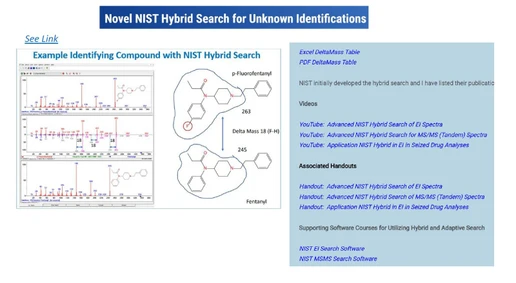
The Similarity mode provides access to Hybrid Search. Here again, the precursor imported from the chromatogram can be used automatically or replaced by another value. Hybrid Similarity itself is treated separately in the source presentation series, but its availability is one of the reasons for working in the full Library Search environment.
Choosing the right spectral matching method
The Library Search window also provides several ways to score spectral similarity:
- Full Spectrum Search
- Impurity Tolerant Search (Reverse-Dot)
- Partial Spectrum Search (PSS-Dot)
Each is designed for a different analytical situation.
- Full spectrum matching compares the complete experimental and library spectra and is most appropriate when the acquired spectrum is clean and complete.
- Reverse-Dot matching focuses primarily on whether important peaks from the library spectrum are present in the experimental spectrum. Extra peaks in the measured spectrum that are absent from the library spectrum are not penalized in the same way. This can make the approach more tolerant of chemical background or spectral contamination.
- Partial Spectrum Search addresses the opposite situation. It does not strongly penalize library peaks that are missing from the experimental spectrum and is therefore suited to incomplete spectra, including cases where only a subset of fragment ions is observed, such as some MS/MS or filtered datasets.
Although the results table can display multiple similarity metrics, the search method selected before the search begins is important because of the way Presearch operates.
Why Presearch matters
NIST uses a Presearch step to reduce the number of library spectra that require more detailed comparison.
This significantly increases search speed, but it also means that spectra removed during Presearch will not appear later in the final results—even if another scoring metric might have ranked them favorably.
This is why the presentation emphasizes choosing the appropriate search method before Presearch when Reverse-Dot or Partial Spectrum behavior is important.
For example, running a standard Full Spectrum search and then sorting the final result table by Reverse-Dot does not necessarily reproduce the same candidate set that would have been obtained if an impurity-tolerant search had been selected from the beginning. Potentially relevant candidates may already have been excluded during the initial Presearch stage.
For routine reviewing, the presentation recommends using the overall NIST Score as the primary sorting criterion, while remembering that specialized searches may require a different search strategy from the outset.
Selecting libraries and mass tolerances
Before running the search, analysts can specify which libraries should be included.
The presentation illustrates the Library Search settings where individual spectral libraries can be added or removed from the search. This allows the search space to be tailored to the application rather than automatically searching every available library.
For high-resolution MS/MS data, users can also configure mass tolerances for both precursor and product ions.
These settings are particularly important because overly broad tolerances may increase the number of irrelevant candidates, while unnecessarily narrow tolerances could exclude valid matches. The appropriate values therefore need to reflect the quality and mass accuracy of the acquired data.
The software also provides additional options associated with precursor handling and polarity matching.
Understanding the result scores
Once the search is complete, the result table can be customized to support efficient review.
Properties can be added, reordered, resized, and used for sorting. The presentation notes that the results are normally best reviewed initially by Score.
Two related measures discussed are the dot product and the NIST Score.
The dot product reflects the direct similarity between two spectra based on shared peaks and their intensities. The NIST Score builds on this comparison by applying additional weighting and scaling. According to the presentation, this helps preserve useful matching performance when spectra are incomplete, as may occur with MS/MS or filtered spectral data.
Analysts can also sort by Rev-Dot or Partial Spectrum Search (PSS) values. However, the limitations imposed by the initial Presearch still apply: sorting cannot recover candidates that were already removed before the detailed comparison stage.
The result interface can also be navigated efficiently using the keyboard arrow keys, and the available display properties can be rearranged according to the analyst’s preferred review workflow.
Additional filters for faster review
The presentation also highlights two useful post-search filters:
- Best Matching Only
- MS/MS Hit Filter List options
Unlike Presearch, these filters are applied after the candidate search has already been completed. They can therefore be switched on and off without permanently removing candidates from the search process.
The Best Matching Only option removes many duplicate results and can make the candidate list easier to review.
The MS/MS Hit Filter provides additional filtering options for tandem MS results, including parameters related to instrument type and allowed precursor forms.
James Little notes that he generally keeps these filters disabled initially and applies them only when needed. This approach preserves the complete search result set during the first review and allows filtering to be introduced later as a tool for improving efficiency.
More flexibility for library-based identification
The main advantage of moving chromatogram results into the full NIST Library Search window is not that the original chromatogram search is incorrect, but that the dedicated search environment gives the analyst more control over how the spectrum is interrogated.
It allows alternative candidates to be reviewed, precursor restrictions to be modified, different identity and similarity strategies to be selected, and specialized full-spectrum, impurity-tolerant, or partial-spectrum comparisons to be performed.
Just as importantly, the workflow highlights a subtle but important principle in spectral searching: the scoring method used to review results and the method used to generate the candidate set are not necessarily interchangeable. Because Presearch determines which library spectra proceed to detailed evaluation, analysts should choose the search strategy that best reflects the characteristics of their experimental spectrum before beginning the search.
Used in this way, the NIST Library Search window can provide a more flexible and transparent workflow for investigating chromatographic components and evaluating MS/MS library matches.