Data Processing Using Thermo Freestyle Software with NIST MSMS Search for Compound Identifications (NIST Search Type Demonstration)

Fr, 14.3.2025 | Original article from: Mass Spec Interpretation Services/James Little
This course shows how to identify unknowns in LCMS analysis by the NIST MSMS search software. Part 4 demonstrates 3 different type searches for MSMS data within the NIST2023 search software.
  • Photo: James Little: Part 4 - Data Processing Using Thermo Freestyle Software with NIST MSMS Search for Compound Identifications (NIST Search Type Demonstration)
  • Video: James Little: Part 4: NIST MSMS Search of Orbitrap Data: Different NIST MSMS Searches Demonstrated

This webinar series demonstrates the use of the Thermo Freestyle 1.8 SP2 QF1 software for processing LCMS product-ion mass spectra  with the NIST 23 Mass Spectral Search Program (v.3.0).  Spectra are easily exported from Freestyle to NIST Search for component identifications utilizing the NIST MSMS libraries and any other available user, crowd-sourced, and commercial MSMS libraries.  Freestyle is a very convenient software package for processing data obtained with the their Orbitrap LCMS instruments.  In one run both the MS1 and MS2 spectra are obtained in both positive and negative ion modes.  The Diode arrary and UV channels can also be easily displayed for targeting the desired species noted in LC analyses.

Handout for whole series

Part 4: Data Processing for NIST MSMS Search using Thermo Freestyle Software (NIST Search Type Demonstration)

Equipment & Software

  • Thermo Orbitrap MSMS
  • Thermo Freestyle Software
  • NIST 2023 Tandem Library

Streamlining Data Processing for Mass Spectrometry

Mass spectrometry is a powerful tool for compound identification, but its efficiency depends largely on how data is processed and analyzed. By utilizing Thermo Freestyle Software in combination with NIST MSMS Search, researchers can enhance the accuracy and speed of their spectral identifications.

NIST MSMS Search v3.0 – Simplified and Enhanced

The NIST MSMS Search version 3.0 introduces an improved interface, making search settings more intuitive. This version allows for:

  • Spectrum import flexibility – Multiple ways to import and process spectra
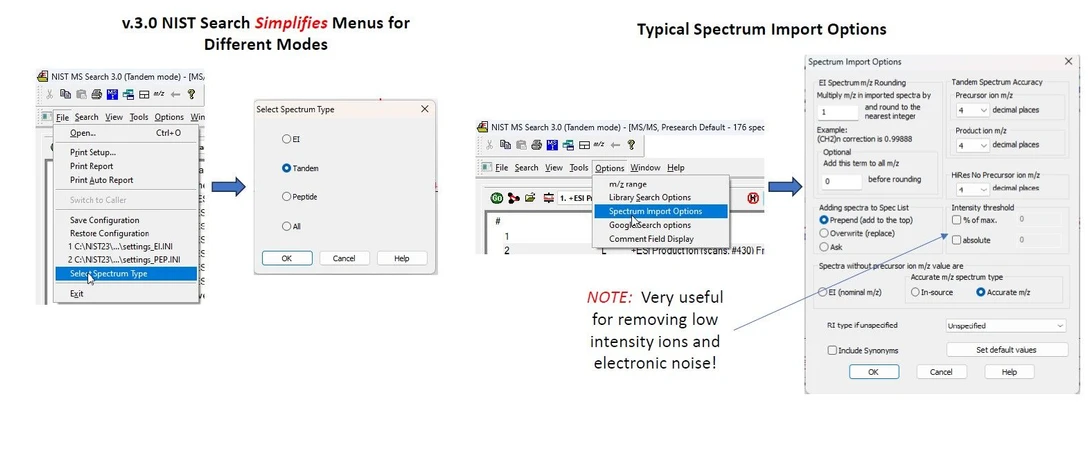
James Little: Typical Settings for NIST MS Search 3.0 (Tandem Mode)James Little: Typical Settings for NIST MS Search 3.0 (Tandem Mode)

  • Various search modes
    • Identity MS/MS: searches spectra restricting by the precursor ion and its specified m/z
    • Identity/High Resolution: No Precursor, just compares the overall fit of unknown spectra to reference spectra
    • Similarity/Hybrid MS/MS - very useful if a related compound is present in the reference libraries, but the actual compound is not present
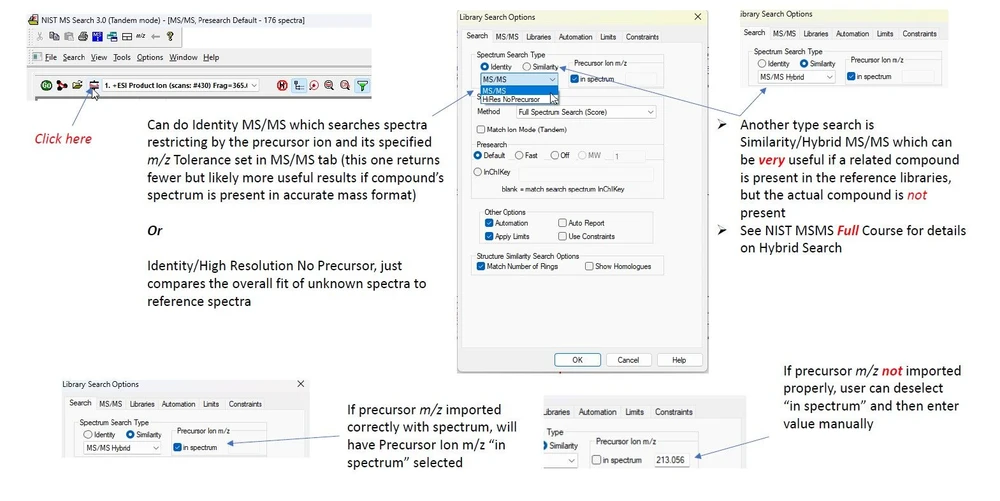
James Little: Library Search Options for NIST MS Search 3.0 (Tandem Mode)James Little: Library Search Options for NIST MS Search 3.0 (Tandem Mode)

  • Advanced filtering options – Remove low-intensity ions and electronic noise
  • Customizable settings – Users can save configurations for future searches

Configuring Search Settings for Optimal Performance

To get the most accurate results, users should:

  • Select the appropriate MSMS libraries – NIST 2023 includes essential databases.
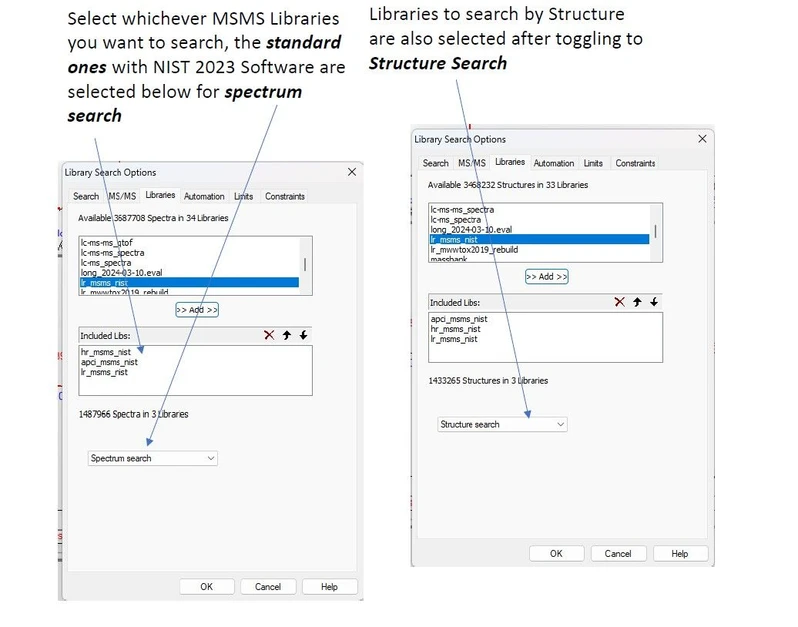
James Little: Select the appropriate MSMS librariesJames Little: Select the appropriate MSMS libraries

  • Adjust precursor m/z tolerance – Ensure compatibility with your mass spectrometer.
  • Use the “Best Matching” option – Simplifies results by filtering only the best spectrum using the CAS Number as a filter
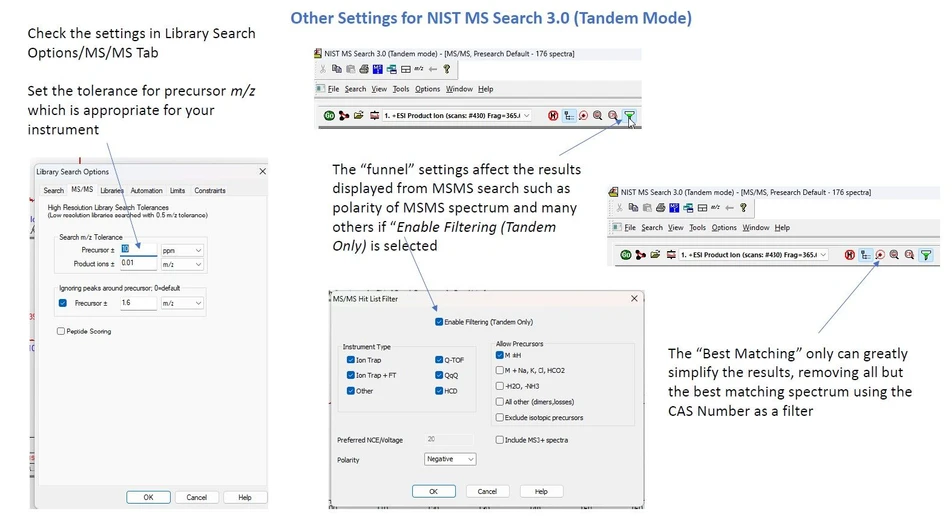
James Little: Other Settings for NIST MS Search 3.0 (Tandem Mode)James Little: Other Settings for NIST MS Search 3.0 (Tandem Mode)

  • Save search configurations – Avoid resetting parameters for each new session.

⚠️ Important! Save your settings for future searches using the Save Configuration option, and restore them when needed to maintain consistency in your analyses.
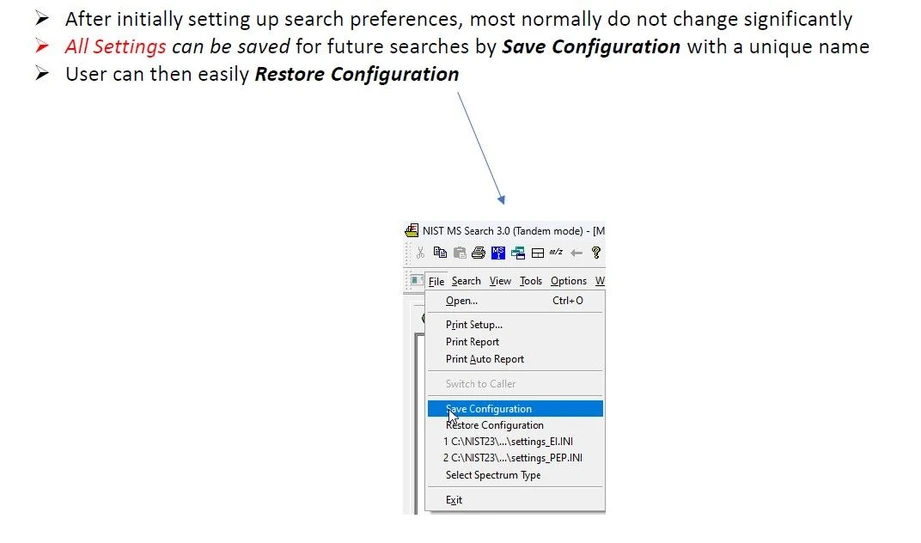
James Little: Important! Save Your Settings for Future Sessions.James Little: Important! Save Your Settings for Future Sessions.

Conclusion

Utilizing NIST MSMS Search v3.0 within Thermo Freestyle Software allows for a faster, more accurate, and customizable approach to compound identification. By selecting the appropriate search type and optimizing settings, researchers can enhance the reliability of their mass spectrometry workflows.


James Little/Mass Spec Interpretation Services
LinkedIn Logo
 

Related articles

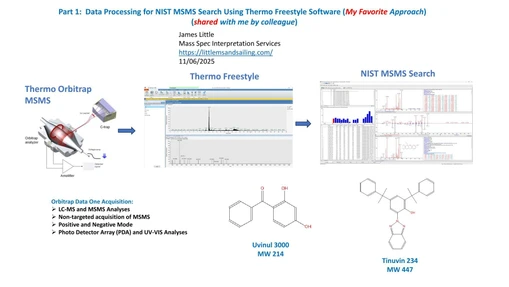
 Data Processing for NIST MSMS Search Using Thermo Freestyle Software (My Favorite Approach)
Article | Video

Data Processing for NIST MSMS Search Using Thermo Freestyle Software (My Favorite Approach)

This part discusses my favorite approach for processing Orbitrap LCMS/LCMSMS data for identificaiton of unknowns using the NIST2023 search and associated libraries.
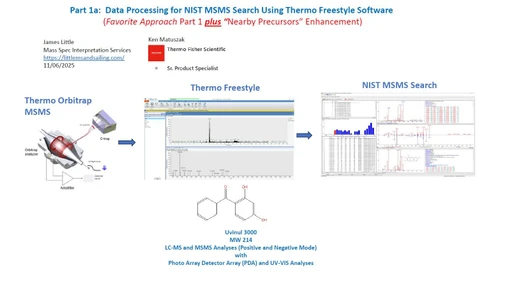
Data Processing Using Thermo Freestyle Software with NIST MSMS Search for Compound Identifications (“Nearby Precursors” Enhancement)
Article | Video

Data Processing Using Thermo Freestyle Software with NIST MSMS Search for Compound Identifications (“Nearby Precursors” Enhancement)

Part 1A discusses the using the "Nearby Precursor" to easily display a MSMS spectrum associated with an ion in MS.
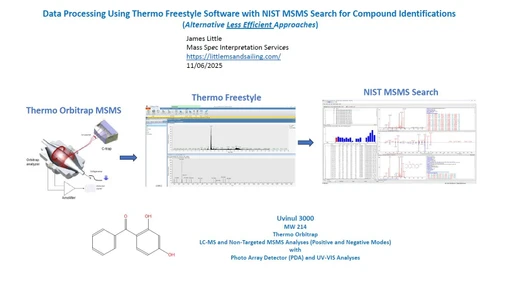
Data Processing Using Thermo Freestyle Software with NIST MSMS Search for Compound Identifications (Alternative "Less Efficient" Approaches)
Article | Video

Data Processing Using Thermo Freestyle Software with NIST MSMS Search for Compound Identifications (Alternative "Less Efficient" Approaches)

This course shows how to identify unknowns in LCMS analysis employing the NIST MSMS search software. Part 2 discusses the alternate methods for processing the data.
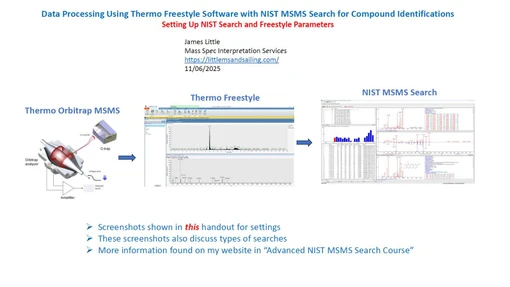
Data Processing Using Thermo Freestyle Software with NIST MSMS Search for Compound Identifications (Setting Up NIST Search and Freestyle Parameters)
Article | Video

Data Processing Using Thermo Freestyle Software with NIST MSMS Search for Compound Identifications (Setting Up NIST Search and Freestyle Parameters)

This course shows how to identify unknowns in LCMS analysis employing the NIST MSMS search software. Part 3 discusses basic settings for Thermo Freestyle software and the NIST 2023 Search.
 

Related articles

 Data Processing for NIST MSMS Search Using Thermo Freestyle Software (My Favorite Approach)
Article | Video

Data Processing for NIST MSMS Search Using Thermo Freestyle Software (My Favorite Approach)

This part discusses my favorite approach for processing Orbitrap LCMS/LCMSMS data for identificaiton of unknowns using the NIST2023 search and associated libraries.
Data Processing Using Thermo Freestyle Software with NIST MSMS Search for Compound Identifications (“Nearby Precursors” Enhancement)
Article | Video

Data Processing Using Thermo Freestyle Software with NIST MSMS Search for Compound Identifications (“Nearby Precursors” Enhancement)

Part 1A discusses the using the "Nearby Precursor" to easily display a MSMS spectrum associated with an ion in MS.
Data Processing Using Thermo Freestyle Software with NIST MSMS Search for Compound Identifications (Alternative "Less Efficient" Approaches)
Article | Video

Data Processing Using Thermo Freestyle Software with NIST MSMS Search for Compound Identifications (Alternative "Less Efficient" Approaches)

This course shows how to identify unknowns in LCMS analysis employing the NIST MSMS search software. Part 2 discusses the alternate methods for processing the data.
Data Processing Using Thermo Freestyle Software with NIST MSMS Search for Compound Identifications (Setting Up NIST Search and Freestyle Parameters)
Article | Video

Data Processing Using Thermo Freestyle Software with NIST MSMS Search for Compound Identifications (Setting Up NIST Search and Freestyle Parameters)

This course shows how to identify unknowns in LCMS analysis employing the NIST MSMS search software. Part 3 discusses basic settings for Thermo Freestyle software and the NIST 2023 Search.
 

Related articles

 Data Processing for NIST MSMS Search Using Thermo Freestyle Software (My Favorite Approach)
Article | Video

Data Processing for NIST MSMS Search Using Thermo Freestyle Software (My Favorite Approach)

This part discusses my favorite approach for processing Orbitrap LCMS/LCMSMS data for identificaiton of unknowns using the NIST2023 search and associated libraries.
Data Processing Using Thermo Freestyle Software with NIST MSMS Search for Compound Identifications (“Nearby Precursors” Enhancement)
Article | Video

Data Processing Using Thermo Freestyle Software with NIST MSMS Search for Compound Identifications (“Nearby Precursors” Enhancement)

Part 1A discusses the using the "Nearby Precursor" to easily display a MSMS spectrum associated with an ion in MS.
Data Processing Using Thermo Freestyle Software with NIST MSMS Search for Compound Identifications (Alternative "Less Efficient" Approaches)
Article | Video

Data Processing Using Thermo Freestyle Software with NIST MSMS Search for Compound Identifications (Alternative "Less Efficient" Approaches)

This course shows how to identify unknowns in LCMS analysis employing the NIST MSMS search software. Part 2 discusses the alternate methods for processing the data.
Data Processing Using Thermo Freestyle Software with NIST MSMS Search for Compound Identifications (Setting Up NIST Search and Freestyle Parameters)
Article | Video

Data Processing Using Thermo Freestyle Software with NIST MSMS Search for Compound Identifications (Setting Up NIST Search and Freestyle Parameters)

This course shows how to identify unknowns in LCMS analysis employing the NIST MSMS search software. Part 3 discusses basic settings for Thermo Freestyle software and the NIST 2023 Search.
 

Related articles

 Data Processing for NIST MSMS Search Using Thermo Freestyle Software (My Favorite Approach)
Article | Video

Data Processing for NIST MSMS Search Using Thermo Freestyle Software (My Favorite Approach)

This part discusses my favorite approach for processing Orbitrap LCMS/LCMSMS data for identificaiton of unknowns using the NIST2023 search and associated libraries.
Data Processing Using Thermo Freestyle Software with NIST MSMS Search for Compound Identifications (“Nearby Precursors” Enhancement)
Article | Video

Data Processing Using Thermo Freestyle Software with NIST MSMS Search for Compound Identifications (“Nearby Precursors” Enhancement)

Part 1A discusses the using the "Nearby Precursor" to easily display a MSMS spectrum associated with an ion in MS.
Data Processing Using Thermo Freestyle Software with NIST MSMS Search for Compound Identifications (Alternative "Less Efficient" Approaches)
Article | Video

Data Processing Using Thermo Freestyle Software with NIST MSMS Search for Compound Identifications (Alternative "Less Efficient" Approaches)

This course shows how to identify unknowns in LCMS analysis employing the NIST MSMS search software. Part 2 discusses the alternate methods for processing the data.
Data Processing Using Thermo Freestyle Software with NIST MSMS Search for Compound Identifications (Setting Up NIST Search and Freestyle Parameters)
Article | Video

Data Processing Using Thermo Freestyle Software with NIST MSMS Search for Compound Identifications (Setting Up NIST Search and Freestyle Parameters)

This course shows how to identify unknowns in LCMS analysis employing the NIST MSMS search software. Part 3 discusses basic settings for Thermo Freestyle software and the NIST 2023 Search.