Čt, 18.2.2021 | Originální článek z: Mass Spec Interpretation Services/James Little
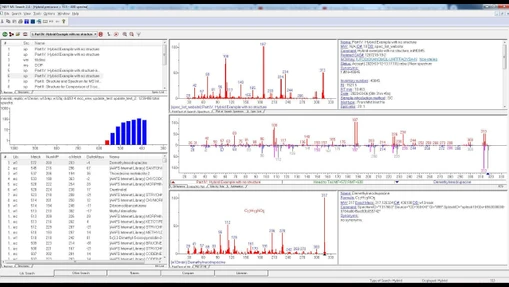
V první části série Vám ukážeme, jak hledat v knihovně NIST MS pro identifikaci analytů při EI GC-MS analýzách. Data jsou měřeny na různých GC-MS systémech a poté se odesílají ke zpracování do NIST MS search. Seminář Wiley - Část 1: Hledání spekter pomocí NIST MS Search
Mass Spec Interpretation Services/James Little: Hledání spekter pomocí NIST MS Search
V srpnu až září 2020 jsem pro Vás představil 5ti dílnou serii webinářu Wiley Webinar Series o vyhledávání v knihovně EI spekter NIST. Série demonstruje efektivní využití softwaru NIST, jako je MS Search, MS Interpreter a AMDIS s knihovnami Wiley, NIST a uživateli vytvořenými knihovnami.
V první části se podíváme na:
Prezentaci k první části naleznete v knihovně LabRulezGCMS.
- NIST Mass Spectrometry Software and Wiley Libraries
- Help Files for NIST Search
- General Windows commands/functions
- Customizing the windows
- Tour of NIST Search Program
- Critical parameters for searching library
- Setting up presearch parameters
- Primary Libraries of EI Spectra and Associated Structures
- Other EI Libraries: Wiley/NIST Combined and specialty
- Selecting the libraries used for spectral searches
- Select the libraries used for similar structure searches
- Selecting limits to avoid high match factors for partial spectra
- Constraints applied to hit list after the list is determined
- Saving setup of standard search parameters
- Searching demonstration/Tip No. Synonyms and databases
- Reverse match for mixtures versus standard match .
- Display of related species
- InChIKey field link to PubChem on web
- Updating indices in older libraries
- Library spectra m/z values by nominal not exact mass
- Retention indices (Kovat) determined by users in AMDIS
- Different derivative displays
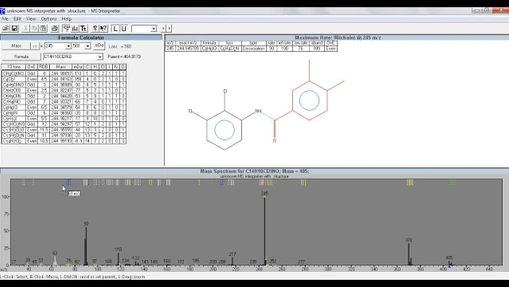
- Using NIST software to obtain proposed nominal MW and substructures
- Webinar references
- Acknowledgements
Dalších částech se zaměříme na:




-pro-zpracovani-datovych-souboru-EI-hmotnostnich-spekter_s.webp)